Product updates
What's new
Every update that makes Casper better at researching, writing, publishing, and tracking content that ranks — one feature at a time.
AI search volume on your keywords
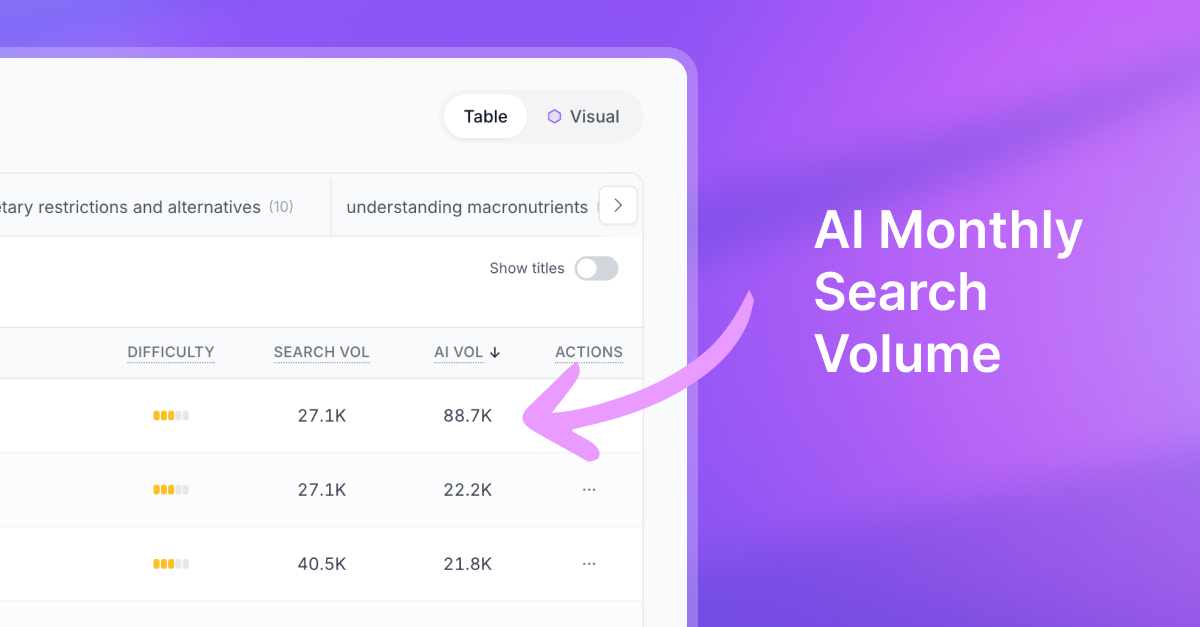
Okay this one’s fun. Keywords (and Topics) now show AI search volume alongside the usual Google volume, so you can see which terms people are actually asking about in AI search, not just classic Google.
You’ll spot it in your Keyword Bank, when you’re researching new ideas, and in topic totals too. If you’ve already got keywords loaded, Casper will backfill AI volume for you the next time you’re in. Super handy when you’re picking what to write next.
A new home for your org: the Dashboard
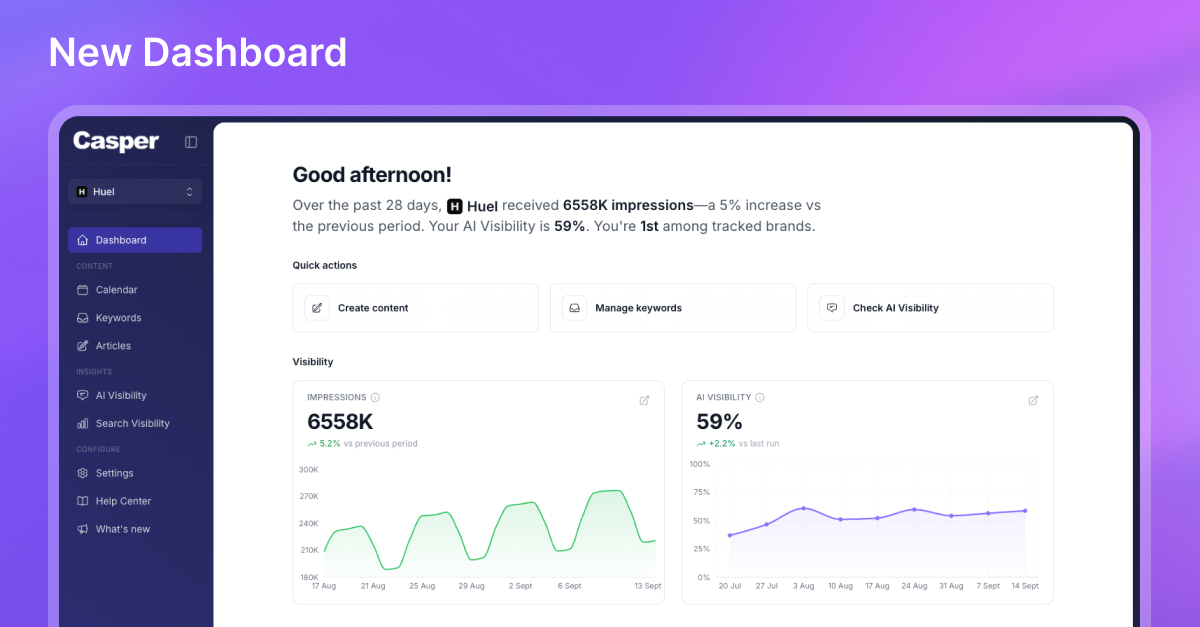
Casper now opens on a Dashboard built to answer the questions you actually have when you sit down to work. How are we showing up in Google? How are we showing up in AI search? What did I last touch? What’s coming up next?
You get side-by-side snapshots of traditional search impressions and AI Visibility for your brand, a peek at articles you’ve been working on recently, and what’s next on your content calendar (including whether Auto Blog is on). There’s also a short get-started checklist if you’re still setting things up. Open Dashboard in the sidebar anytime you want the full picture without hopping between tools.
Discover fan-out queries AI models search for
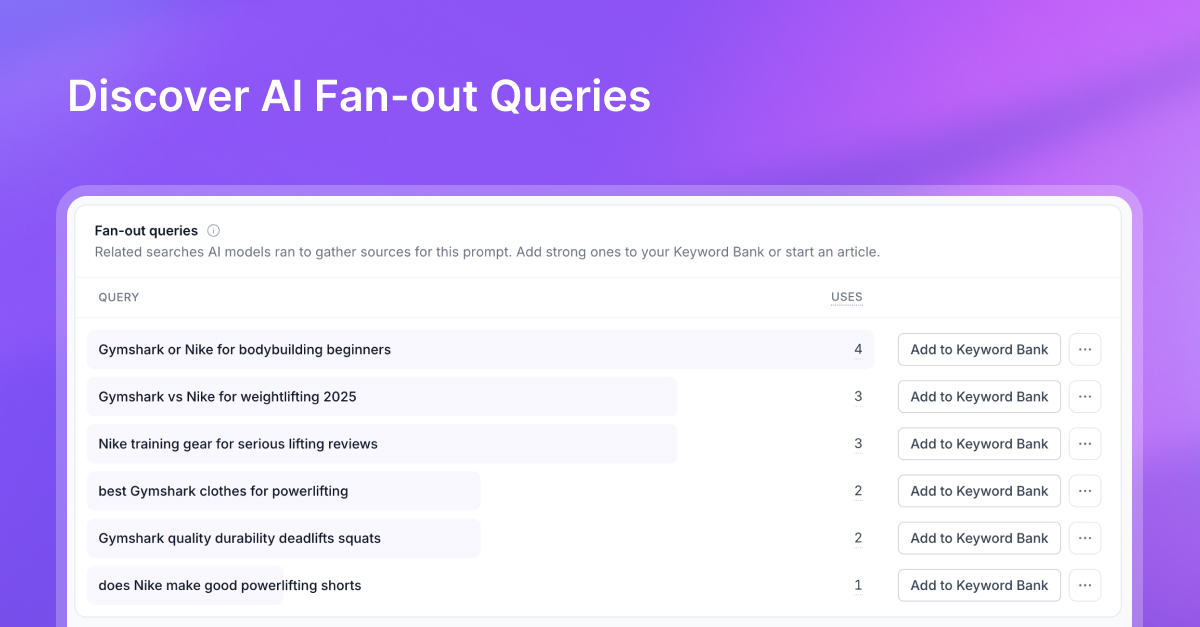
When ChatGPT, Claude, Gemini, and Perplexity answer with web search, they often break a prompt into related searches — fan-out queries — to gather sources. Casper now surfaces those queries so you can turn them into keyword and article ideas.
See fan-outs on each AI Visibility prompt, or browse them org-wide under Research > Fan-out queries. Multi-select the strongest ones and add them to a topic in your Keyword Bank.
AI Search Visibility: see if AI recommends you
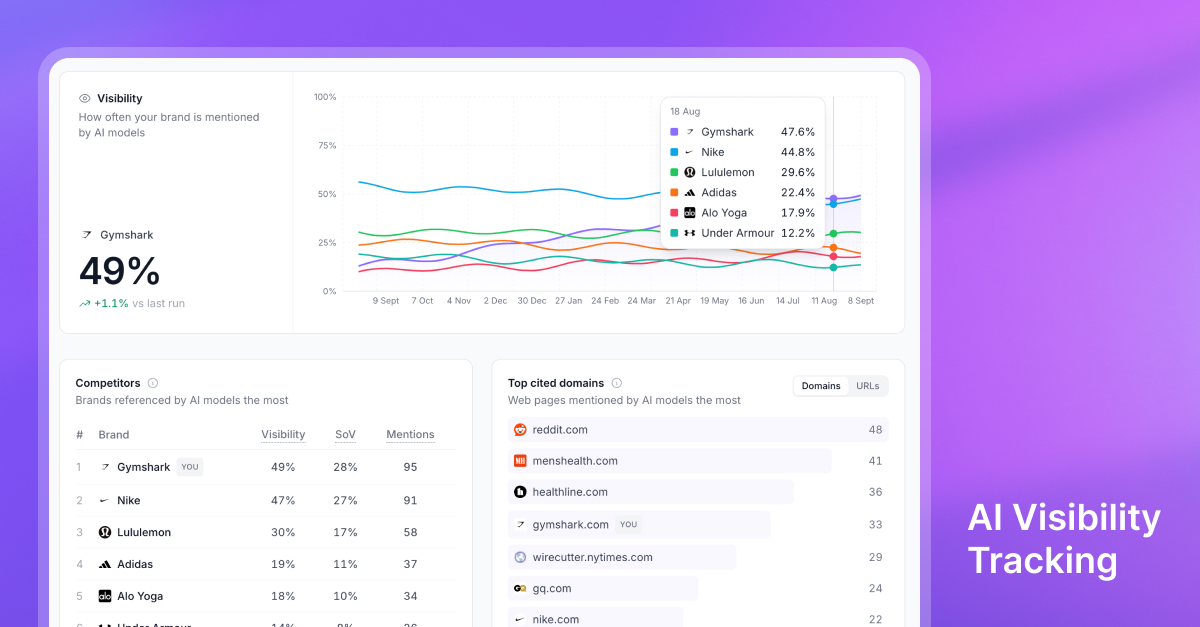
Google isn’t the only place buyers discover brands anymore. ChatGPT, Claude, Gemini, and Perplexity are answering the questions your customers ask, and naming the brands they trust. Casper’s new AI Search Visibility tracker shows whether those answers mention you, how often, and who else is winning the recommendation.
Track the prompts that matter, compare share of voice against competitors, inspect the exact answers models give, and see which sources they cite so you know what content to create next. Open Insights > AI Visibility to start monitoring your brand in AI search.
Research tools to find your next keywords
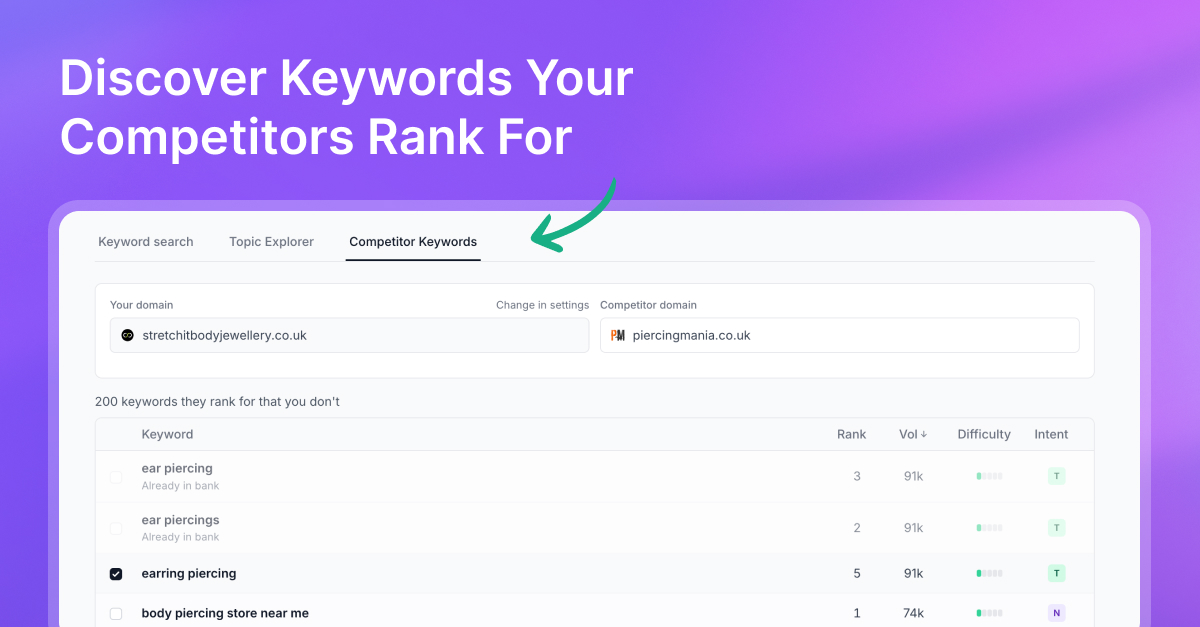
You now have more control over finding keywords to add to your Keyword Bank. Search related terms, explore a topic into clusters, or pull missing keywords from a competitor.
Go to Keywords > Find opportunities to try it.
Traffic metrics, each with its own chart
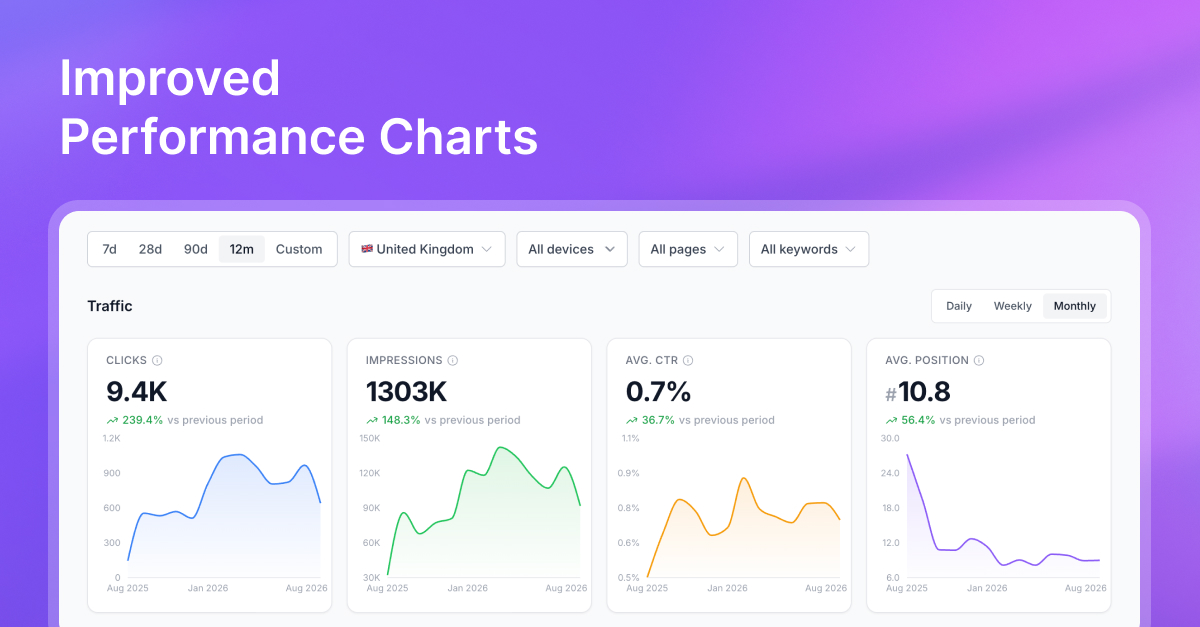
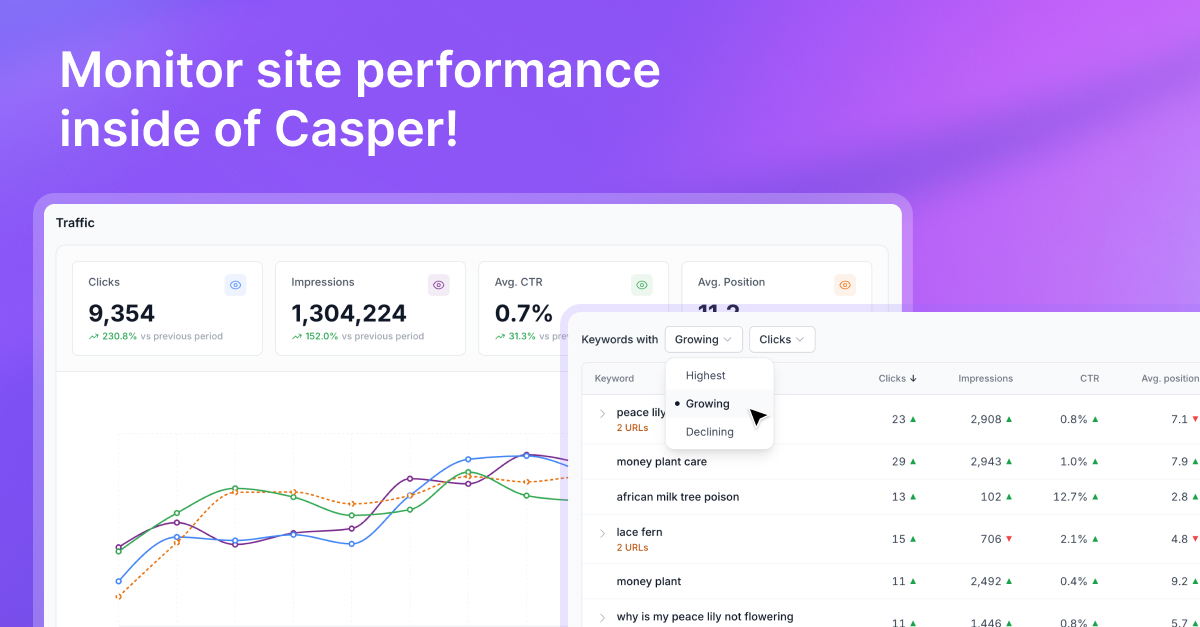
Performance Traffic no longer puts clicks, impressions, CTR, and average position on one overlapping graph. Each metric now has its own card with a big number, period change, and a dedicated trend chart underneath, so you can follow clicks without fighting a second axis for impressions.
Switch daily, weekly, or monthly and all four update together.
See your topic strategy as a map
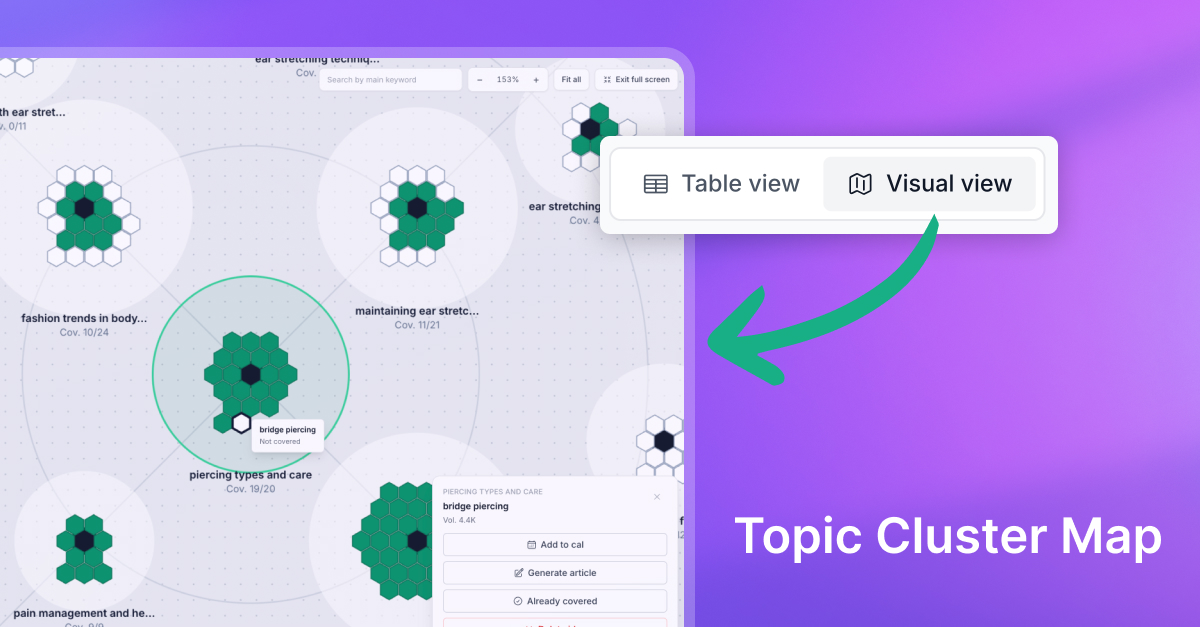
Keywords now includes a visual map view alongside the list, so you can scan coverage instead of scrolling row by row.
Open Visual view, use fullscreen when you need more space, and use the legend to see what’s covered versus still open.
Enrich topics with real Search Console rankings
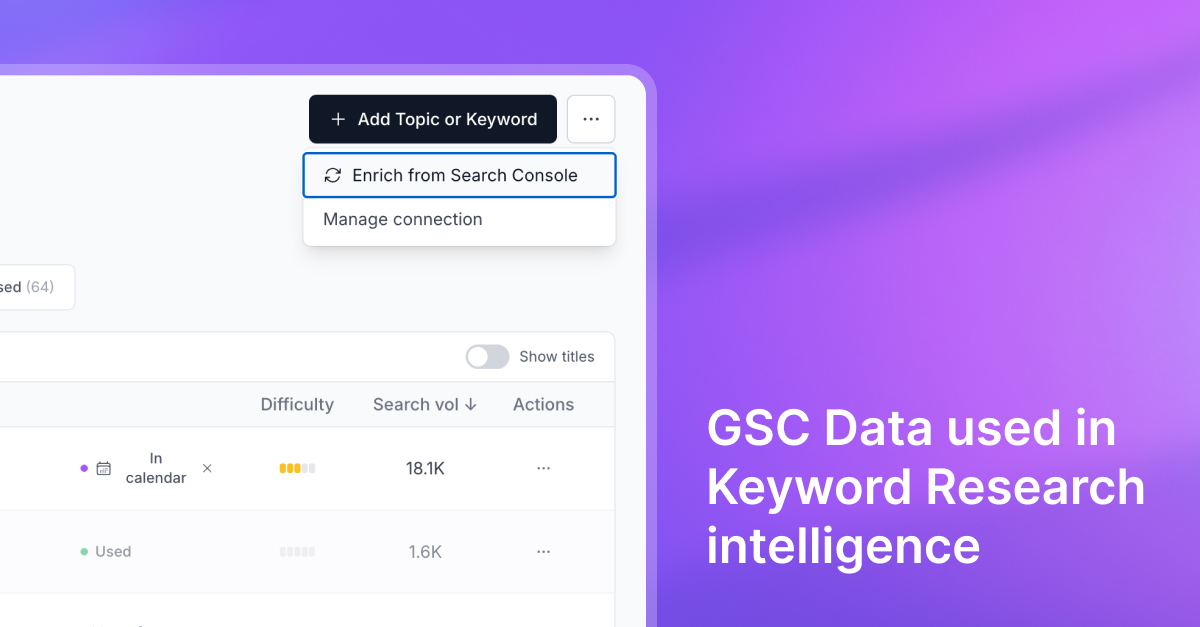
Once Google Search Console is connected, enrich Topics with your live ranking data. Casper can see which keywords you already rank for and mark what’s covered, so you’re not planning new articles for ground you’ve already won.
Refresh when you want an update, and plan the next piece around real gaps instead of estimates alone.
Traffic charts by day, week, or month
Performance charts now let you switch between daily, weekly, and monthly views.
Use daily when you’re checking a launch week, weekly for campaign reviews, or monthly when you want the longer growth story.
Performance Monitoring with Google Search Console
Connect Search Console once and bring clicks, impressions, CTR, and average position into Casper’s Performance view.
Filter for growing or declining trends, dig into queries and pages, refresh data when you need a fresh pull, and manage your connection from the same place.
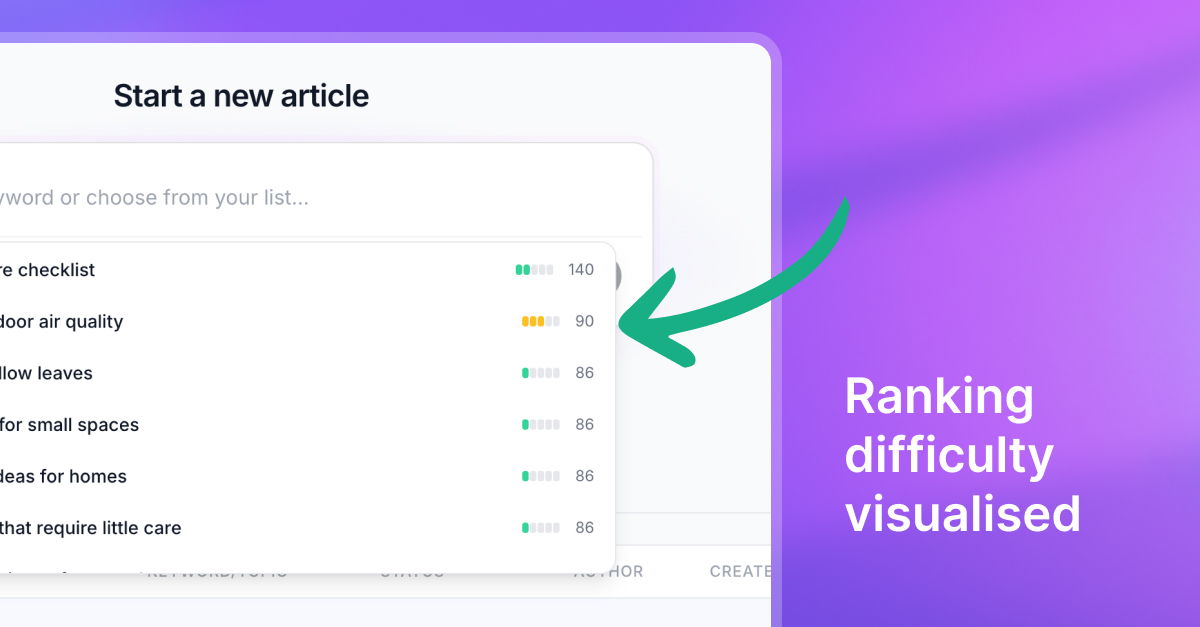
Ranking difficulty, visualized
Difficulty bars now appear across articles and topics, so competitive context travels with the idea.
Before you schedule or generate, you can see how tough a keyword looks and prioritize easier wins, or go in with clearer expectations on a harder SERP.
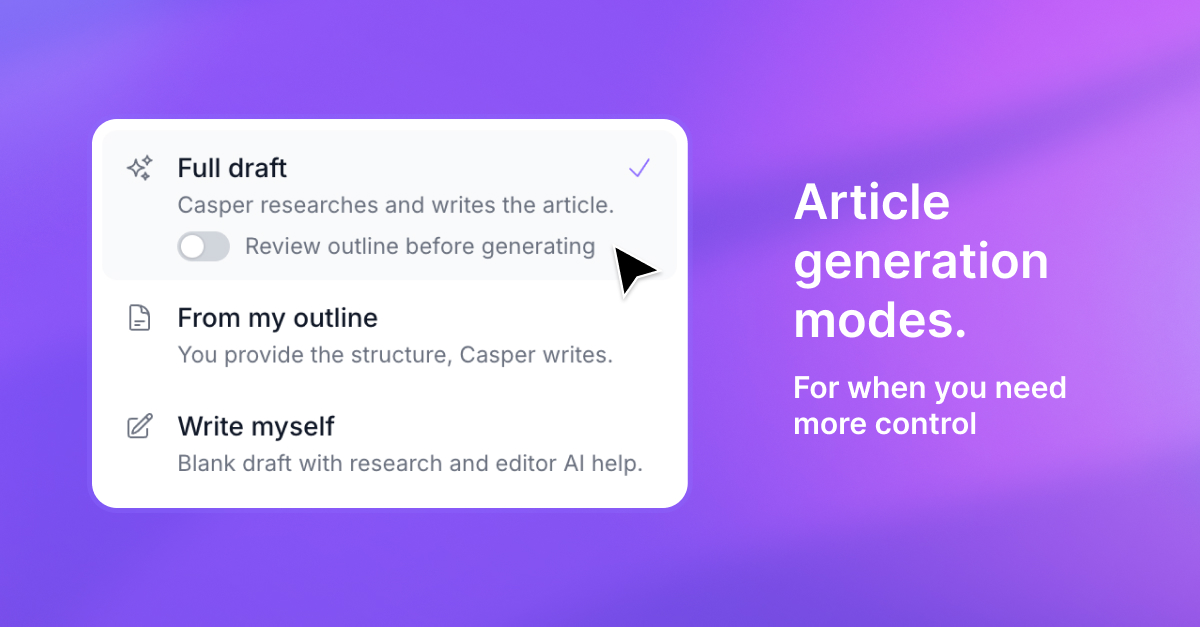
A clearer path from idea to article
Starting an article now gives you clearer control over how the draft gets made.
Let Casper research and write the full piece, hand over your own outline for Casper to write from, or write it yourself with SERP research already done and ready in the editor.
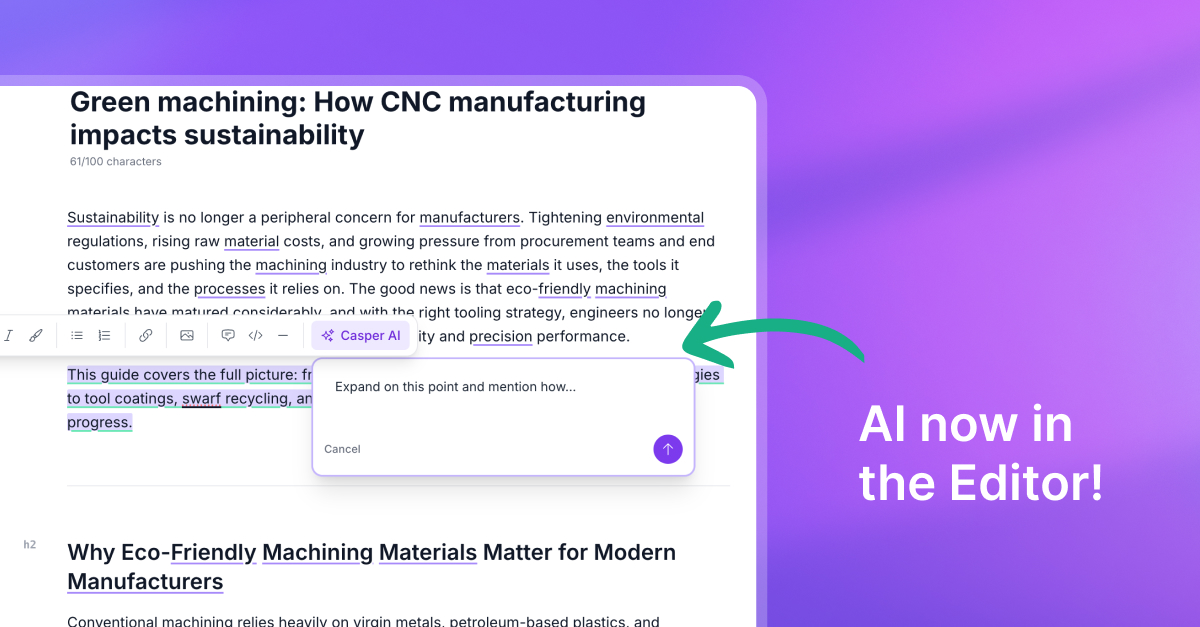
Casper AI, right in the editor
Select text in your draft and ask Casper AI to rewrite, expand, tighten, or polish it without leaving the editor.
Use slash commands for common edits, or open the prompt on any selection and refine a sentence or a whole section in place.
Undo, redo, and smarter headings
The content editor now includes undo/redo, a heading dropdown, and clearer empty-line guidance.
Experiment knowing you can reverse a change, keep structure consistent with proper headings, and stay oriented while you shape long-form drafts.
Know when a publish doesn’t go through
Failed and scheduled publications are easier to spot, so nothing silently stalls on the calendar.
Casper surfaces clearer alerts when a publish hits a snag, keeps status honest, and preserves scheduled dates when a retry makes sense.
Auto Blog scheduling that fits your rhythm
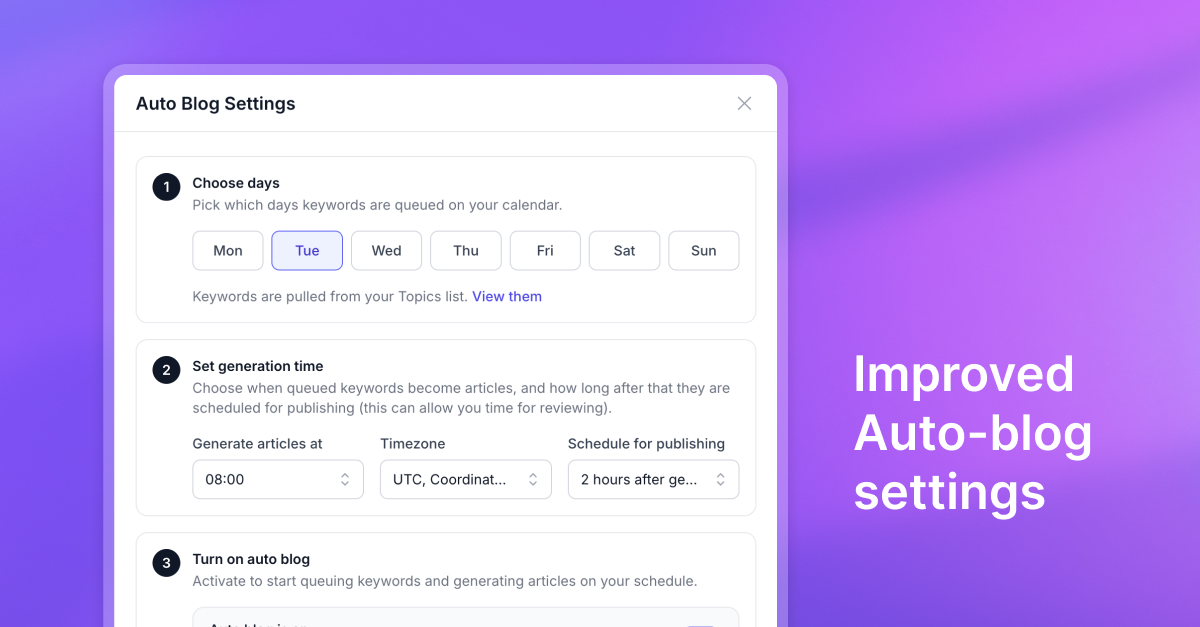
Auto Blog settings are clearer and more capable. Choose when articles generate, how publish timing and delays work, and keep schedules aligned with how your team actually ships.
Open Auto Blog settings, set the cadence once, and let Casper keep the calendar moving.
Article length that follows the SERP
Article length now includes an Auto option driven by SERP research. Instead of guessing a word count, choose Auto and Casper sizes the draft to what already ranks for that keyword: deeper when the SERP demands it, tighter when a shorter piece wins.
Defaults stay consistent for new organizations and scheduled generation.
Competitor terms, highlighted in your draft
SERP analysis now surfaces competitor terms and highlights them in the editor.
You’ll see language competitors use, decide what’s worth weaving in, and close semantic gaps faster, without keeping a separate spreadsheet of terms to include.
Must-cover topics you can track as you write
Must-include topics from the brief stay visible in the editor with persistent cues, so coverage isn’t a checklist you forget.
As you write, mark what’s done and see what’s still missing. The brief and draft stay in one workflow.
Live outlines that stay in sync with your draft
The article outline supports live editing and reliable heading navigation.
Jump to a section, reshape structure as the piece evolves, and keep the outline tied to the document so planning and writing stay connected.
A resizable editor sidebar
The editor sidebar resizes to match how you work. Widen it when you need more room for SERP briefs and SEO guidance, then narrow it when writing needs the full stage.
Drag to fit your screen and keep research close without crowding the draft.
SERP-guided article generation
Every draft can start from live search results. Casper analyzes what’s ranking, builds an outline informed by the SERP, and keeps a research brief beside you in the editor while you write.
Progress steps make research versus writing clear, so you’re matching search intent instead of dumping a generic prompt into a blank page.
Link previews in the editor
Hover a link in the rich editor to preview it, open the destination, or remove it in one click.
No digging through the toolbar: editing hyperlinks feels as fast as reading them, whether you’re cleaning a draft or checking internal links before publish.
Guided calendar onboarding
New teams get a step-by-step path from first keywords to a living content calendar. Progress cues and clearer explanations walk you through the essentials so Auto Blog and scheduling make sense on day one.
Dismiss when you’re ready, or follow along until the calendar feels natural.
Content Plan is now Auto Blog
We’ve renamed Content Plan to Auto Blog across the product to match what the feature actually does: plan, generate, and publish on a cadence.
Same automation, clearer name, and settings that make the autopilot path easier to find.
A full topics workflow for content planning
Topics are a real planning workflow, not just a list. Generate clusters and article ideas with clear limits, search and filter what’s unused or scheduled, and add keywords manually when you already know the angle.
Move winners into Auto Blog without rebuilding the plan elsewhere. Strategy and production stay in one place.
Schedule topics straight to the calendar
When a topic is worth chasing, send it to the calendar without rebuilding the plan in another tool.
Planning and production stay connected, so strong ideas become scheduled work instead of dying in a spreadsheet.
Topic generation
Casper can generate topics from your organization profile, giving you a strategic layer above single keywords.
Start with themes that fit your market and audience, then expand into article ideas you’re ready to write.
Publish to Framer
Framer is a first-class publishing destination. Connect Framer CMS, manage your token securely (including regeneration and copy when you need it), and ship Casper articles into the site you’re already designing.
No copy-paste between tools.
More reliable Webflow publishing
Webflow publishing handles list content more reliably, formats rich text the way Webflow expects, and can pull internal link candidates from your connected Webflow site.
What you approve in Casper should look right on the site: fewer broken lists, cleaner formatting, and stronger internal links.
Publish to Ghost
Ghost is a first-class publishing destination. Connect your Ghost(Pro) site via the Admin API, validate the integration, and send finished SEO-ready articles out without rebuilding them in the Ghost editor.
Write and optimize in Casper, then publish where your blog already lives.
Ready to try the latest?
Start a trial and put these updates to work on your next article.
Get started